
|
Binaural Monitor |
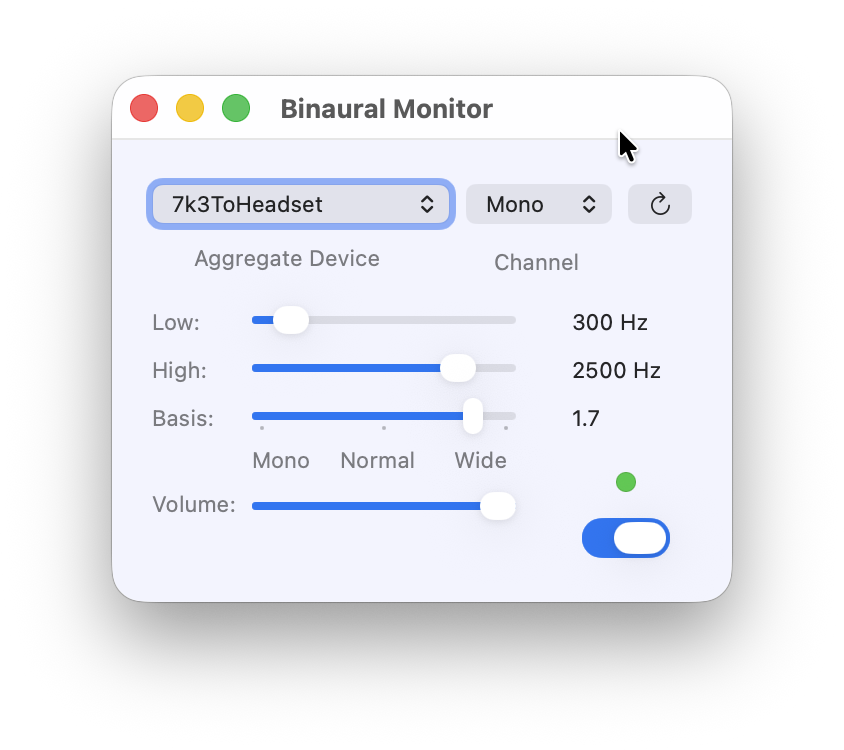
The binaural monitor generates a pseudo-stereo signal from a mono signal. For this purpose, the lower tones of the frequency spectrum are moved to the left and the higher tones to the right. When listening to CW or RTTY signals in the pile up, individual stations can be identified more easily and fatigue is prevented.
Some preparations must be made in the Audio Midi Setup application in order to ensure trouble-free operation with low latency. For the operation we need an input device (e.g. sound card in the transceiver) and an output device (e.g. headphones). Both physical devices are connected together to a virtual device.
As an example, we want to output signals from the internal sound card from the IC-7300MK2 to a headphone. The transceiver is connected to the computer via a USB cable and the headphones are plugged into the 3.5 mm jack socket in the computer. The headphones are recognised here as External Headphones and the IC-7300MK2 log in with USB Audio Device. This device has one input (mono, for modulation) and two outputs (channels from the RX). Other transceivers may log in with two devices, separately for input and output.
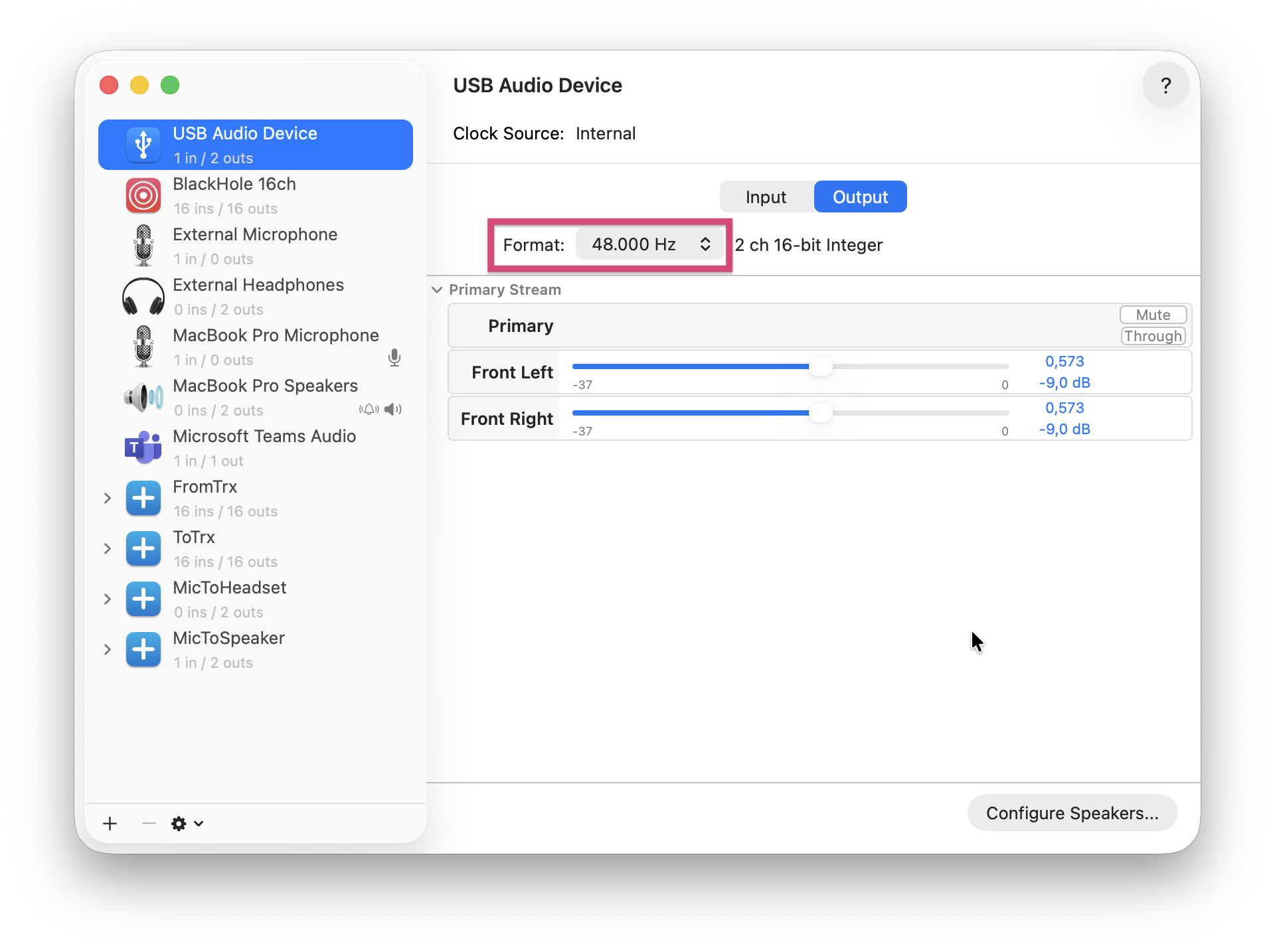
For the headphones and the output of the USB Audio Device, we prefer to set the sampling rate (Format) to 48,000 or 44,100 Hz.
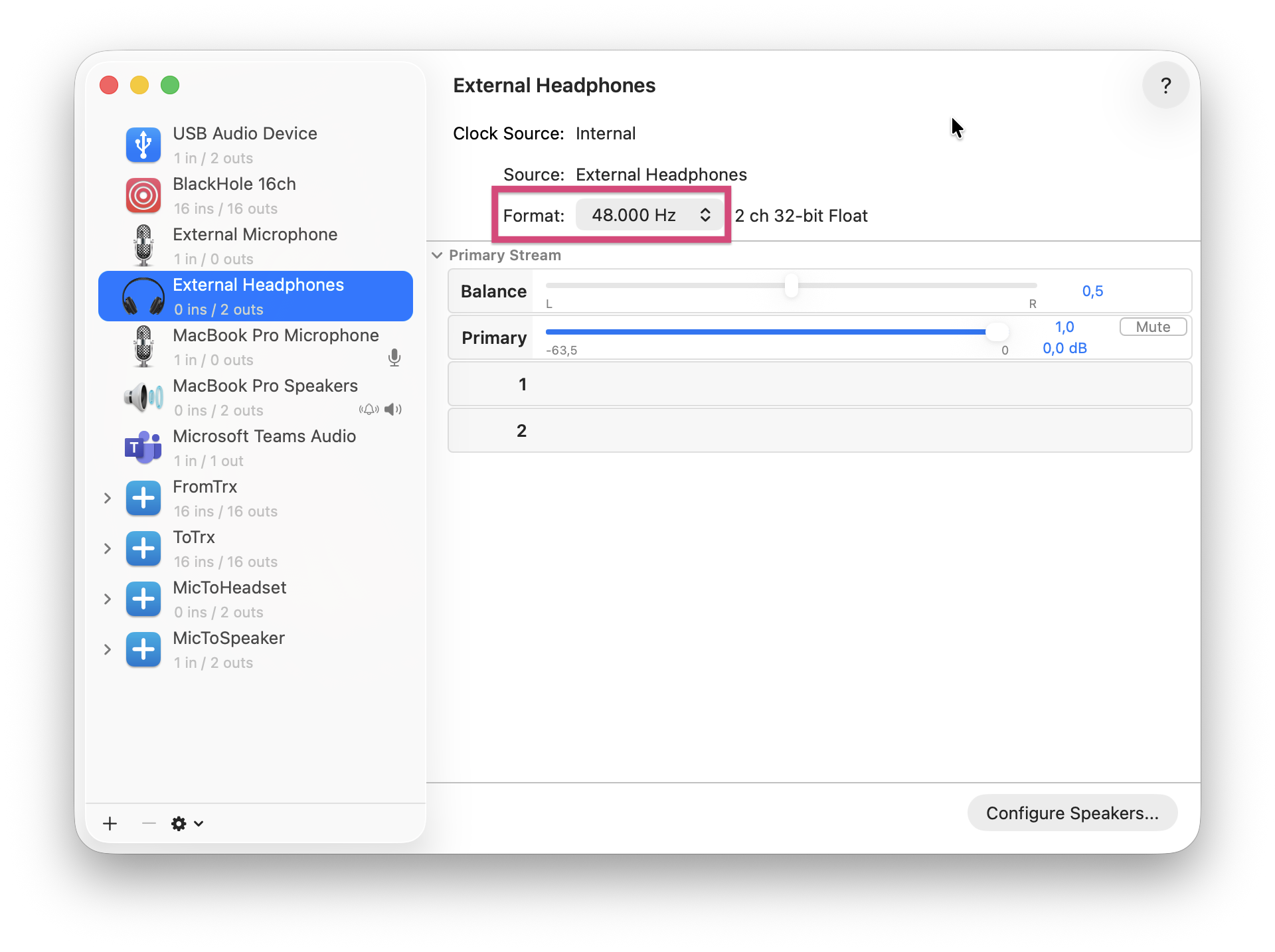
Important: All devices used must be set to the same sampling rate.
By pressing + in the lower left corner we create a new Aggregate Device. We can rename this, for example, 7k3ToHeadset. To this we add the USB Audio Device (IC-7300). The sample rate should still be at the previously set value and Clock Source shows USB Audio Device.
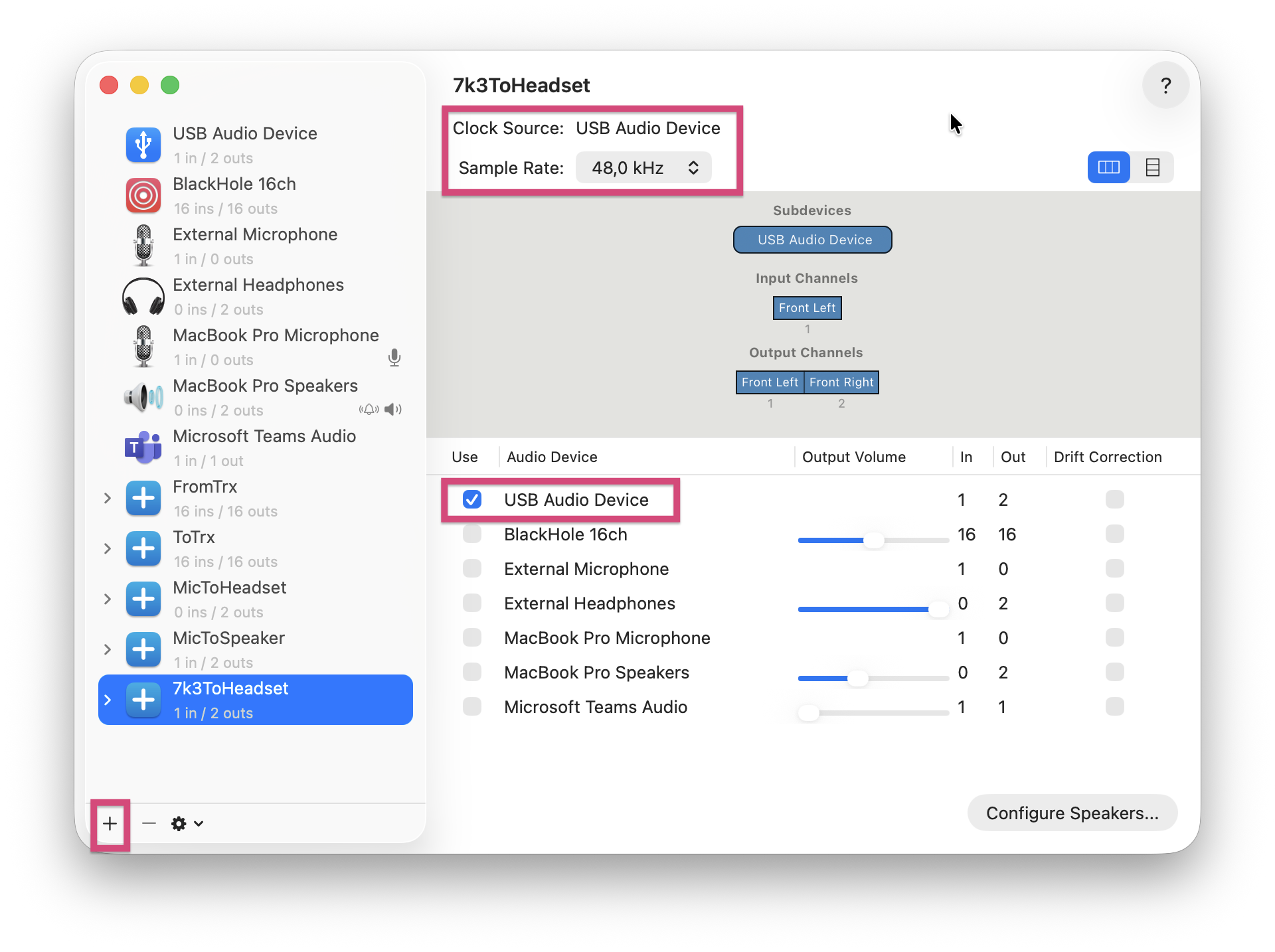
Next, the External Headphones are added. For this, the Drift Correction option must be selected. Clock Source still shows USB Audio Device.
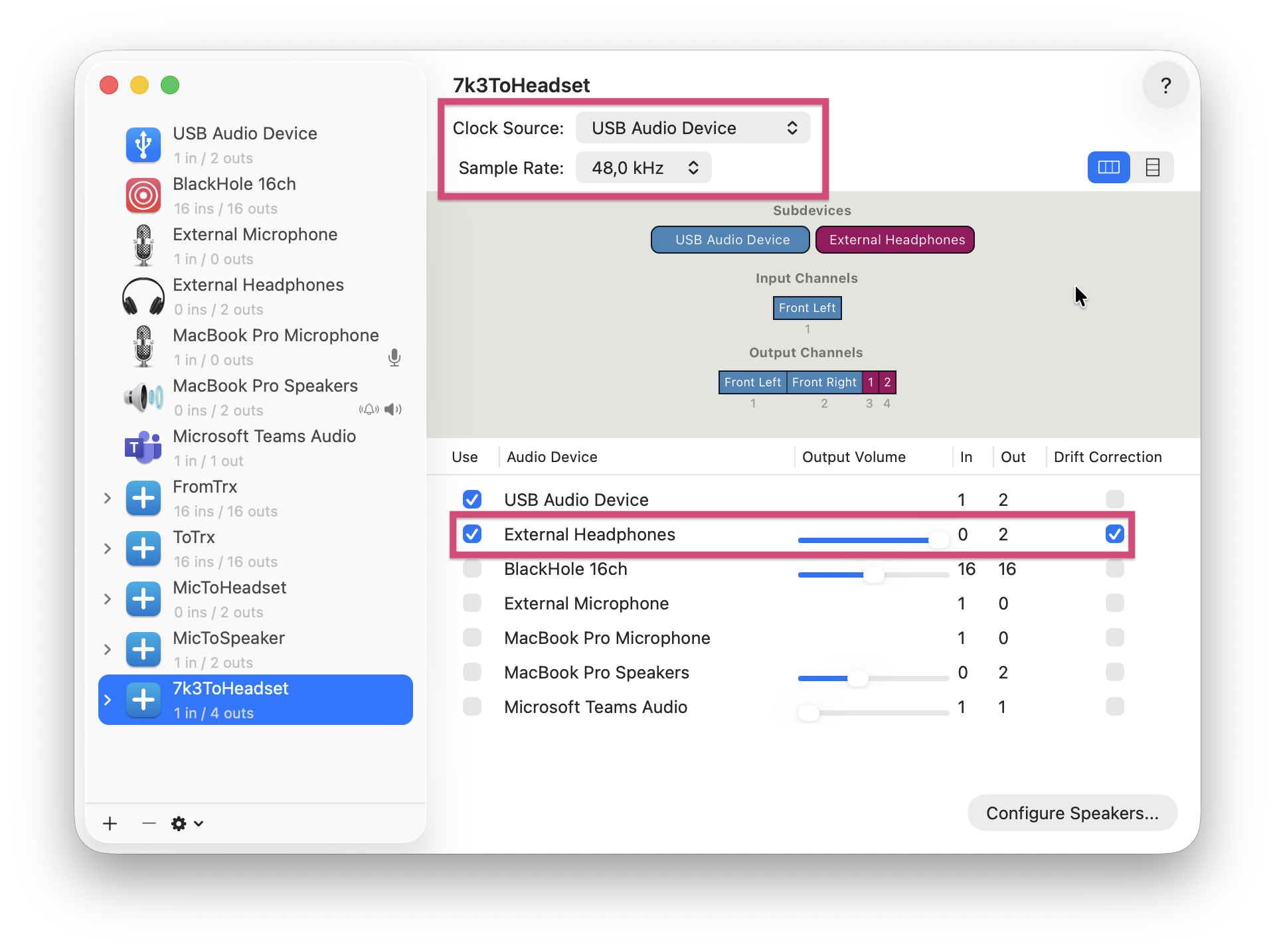
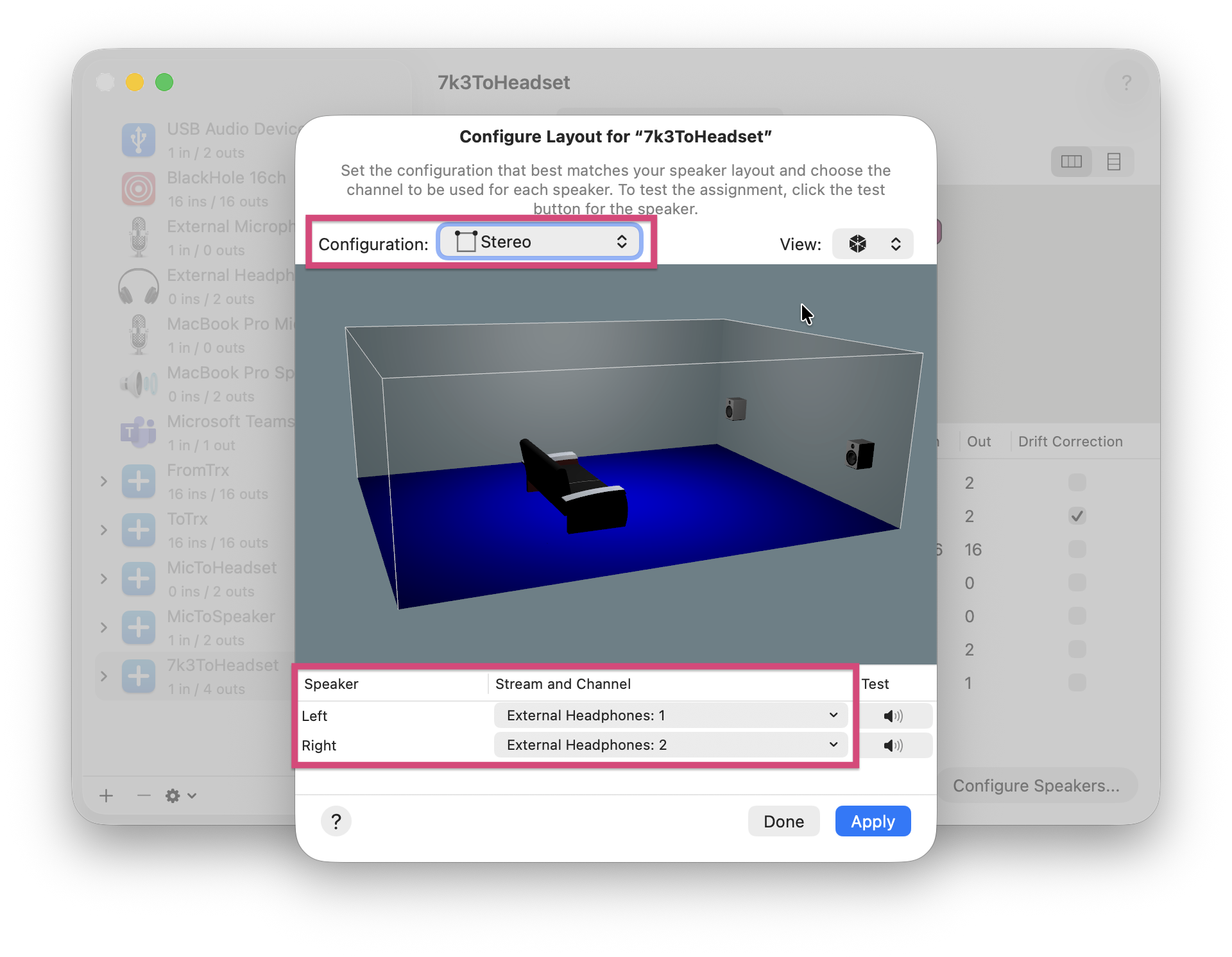
In this example, our virtual device could use both the headphones and the transceiver for sound output. But we only want to use the headphones. To do this, press Configure Speakers… in the lower right corner. Stereo is selected as the Configuration and the headphones are selected for the speakers. Left channel corresponds to 1, right channel 2.
The Audio Midi Setup program can now be cancelled.
The monitor can be found in: Menu—>Audio—>Binaural monitor. Here our device configured above is now selected and the monitor can be started with the switch. The lower and upper limit frequency, the effect strength and the volume can be adjusted. Possibly volumes can also be changed in the transceiver and in the Audio Midi Setup program.
Unfortunately, the sidetone is also affected by latency. The Bypass switch allows you to disable the stereo effect and slightly reduce the latency. If a WinKeyer is being used, switching can be automated by enabling the WinKey bypass switch.